Upscale
Upscale images 4x, with real detail
Real-ESRGAN rebuilds edges and texture instead of blurring them. Pick the photo model or the anime one, 2x or 4x.
$0.004
per run in the cloud
$0
on your own machine
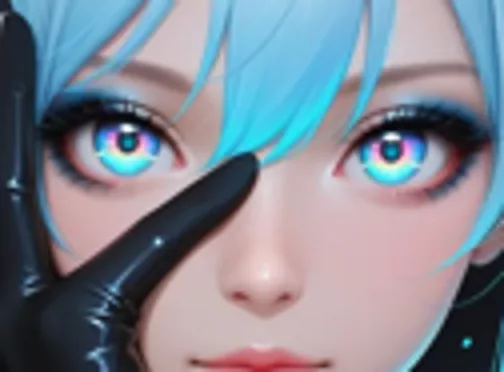
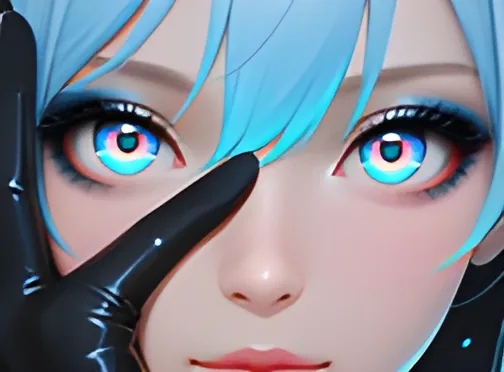
A 126 x 93 crop, upscaled 4x. Both shown at the same size.
Photo and anime models
One model for photos and renders, one tuned for line art and anime.
2x or 4x
From a thumbnail to a print-ready image in one pass.
Big images in tiles
Large inputs are processed piece by piece, so they fit in memory.
Reference
Inputs and parameters
The same everywhere: the desktop app, Imference Web and Claude through MCP. Unknown parameters are refused, so a typo never runs with a default.
Inputs
| Name | Type | Limits | Notes |
|---|---|---|---|
| image required | image | 30 MB, 4 MP | Source image (at most 4 MP; the output is up to 64 MP) |
Parameters
| Name | Type | Default | Accepted | Notes |
|---|---|---|---|---|
| scale | enum | 4 | 2, 4 | |
| model | enum | realesrgan-x4plus | realesrgan-x4plus, realesrgan-x4plus-anime | x4plus for photos and renders, anime for illustrations. |
| tile | int | 256 | 0 to 1024 | Tile size (0 = whole image; lower uses less memory). |
| format | enum | webp | webp, png | webp: high quality (lossy, q92), far smaller files. png: lossless. Over 16383 px a side the result is png. |
Outputs
- imageimage
Specs
The details
- Price
- $0.004 · 4 credits
- Runs
- Local and cloud
- Download
- 85 MB, once
- License
- BSD-3-Clause
- Tool id
- upscale 1.1.0
- MCP tool
- upscale
More tools
Often used with it
Convert / compress
Convert to PNG, JPEG or WebP and set the compression quality.
$0.001
Crop
Crop an image to a rectangle or to an aspect ratio (centered).
$0.001
Describe image
Write a detailed caption of an image, ready to reuse as a prompt (Florence-2).
$0.002
Magic eraser
Remove what the mask covers and fill it with matching background (LaMa).
$0.004
FAQ
Good to know
Do I need a GPU?
No. It runs on the CPU, and much faster on a GPU.
Which model should I pick?
The default model for photos and 3D renders, the anime model for drawings, manga and pixel-clean art.
Is there a size limit?
Locally, only your memory. In the cloud, inputs up to 4 megapixels.