Describe image
Turn any image into words
Florence-2 writes what it sees. Reuse it as a prompt for a new image, as an alt text, or as a caption.
$0.002
per run in the cloud
$0
on your own machine
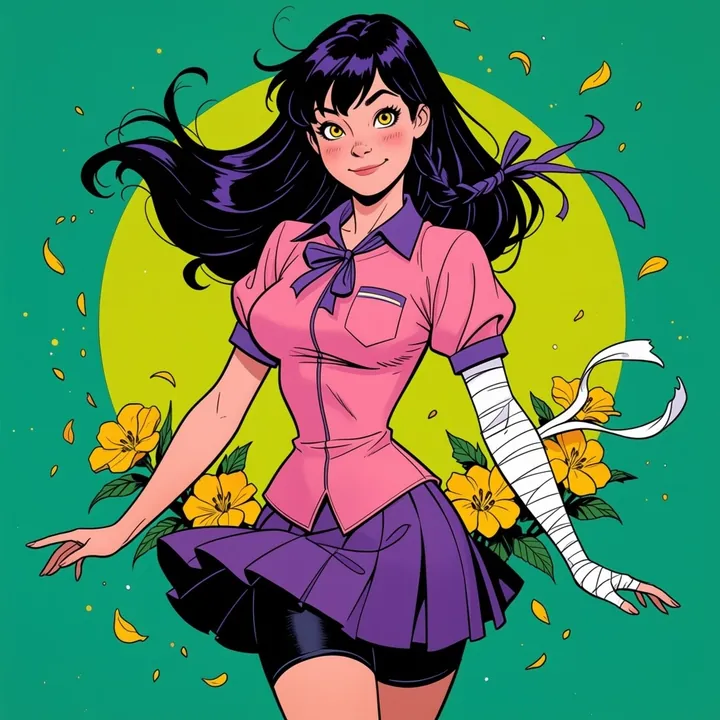
What it wrote
The image is an illustration of a young woman with long dark hair and bangs. She is wearing a pink blouse with a purple ribbon tied around her neck and a purple skirt. She has a white bandage wrapped around her arm and is standing in front of a green background with yellow flowers and leaves scattered around her. The woman is smiling and has her arms stretched out to the sides.
Three levels of detail
A short caption, a paragraph, or a full description.
A ready-made prompt
Copy the description of an image you like into a new generation.
Offline
The model runs on your computer once downloaded.
Reference
Inputs and parameters
The same on every surface: the desktop app, Claude through MCP and the API. Unknown parameters are refused, so a typo never runs with a default.
Inputs
| Name | Type | Limits | Notes |
|---|---|---|---|
| image required | image | 30 MB, 16 MP | Source image |
Parameters
| Name | Type | Default | Accepted | Notes |
|---|---|---|---|---|
| detail | enum | more_detailed | short, detailed, more_detailed |
Outputs
- texttext
API
Run Describe image from the API
curl https://imference.com/tools/describe \
  -H "Authorization: Bearer $IMFERENCE_API_KEY" \
  -F image=@image.png
Files go in multipart fields named after the inputs; JSON works too, with {"inputs": {...}, "params": {...}} and https URLs or base64 data: URIs. The answer is a request_id: poll GET /status?request_id=... until it returns the outputs. Pay per call from a wallet instead at POST /ondemand/tools/describe. A run that fails is refunded to your credits. Details in the reference.
Specs
The details
- Price
- $0.002 · 2 credits
- Runs
- Local and cloud
- Download
- 468.6 MB, once
- License
- MIT
- Tool id
- describe 1.0.0
- MCP tool
- describe_image
More tools
Often used with it
Convert / compress
Convert to PNG, JPEG or WebP and set the compression quality.
$0.001
Crop
Crop an image to a rectangle or to an aspect ratio (centered).
$0.001
Magic eraser
Remove what the mask covers and fill it with matching background (LaMa).
$0.004
Remove background
Cut out the subject: transparent PNG, a mask, or the subject on a solid color.
$0.003
FAQ
Good to know
Can I use it as a prompt?
Yes. Copy it into Create, or ask Claude to describe and regenerate through MCP.
Which languages?
English.