Vary
Make variations of any image
Keep the composition and get a fresh take, with any image model you have. Low strength stays close, high strength reinvents.
Model
price of the model you pick, per run
$0
on your own machine
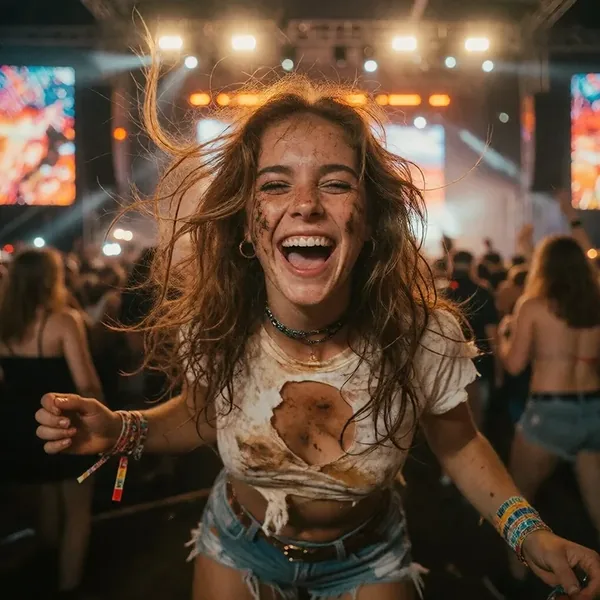

Z-Image Turbo, strength 0.5.
Your choice of model
Run it with SDXL, Z-Image or Anima models, and their LoRAs.
One slider
Strength decides how far the variation may move from the original.
Free locally
On your GPU it costs nothing. In the cloud, the model's price.
Reference
Inputs and parameters
The same on every surface: the desktop app, Claude through MCP and the API. Unknown parameters are refused, so a typo never runs with a default.
Inputs
| Name | Type | Limits | Notes |
|---|---|---|---|
| image required | image | 30 MB, 4 MP | Source image |
Parameters
| Name | Type | Default | Accepted | Notes |
|---|---|---|---|---|
| model required | string | · | up to 128 characters | Generation model (a catalog model name that accepts an image input). |
| prompt | string | · | up to 4000 characters | Prompt (default: empty; reuse the image's original prompt for best results). |
| negative_prompt | string | · | up to 2000 characters | |
| strength | float | 0.35 | 0.1 to 0.9 | How far the variation may move away from the image: low keeps the composition and details close, high reinvents more of it. |
| seed | int | · | 0 to 4294967295 | Fixed seed for a reproducible result (default: random). |
Outputs
- imageimage
API
Run Vary from the API
curl https://imference.com/tools/vary \
  -H "Authorization: Bearer $IMFERENCE_API_KEY" \
  -F image=@image.png \
  -F 'params={"model": "anima-aesthetic", "prompt": "a red vintage car"}'
Files go in multipart fields named after the inputs; JSON works too, with {"inputs": {...}, "params": {...}} and https URLs or base64 data: URIs. The answer is a request_id: poll GET /status?request_id=... until it returns the outputs. Pay per call from a wallet instead at POST /ondemand/tools/vary. A run that fails is refunded to your credits. Details in the reference.
Specs
The details
- Price
- Same as a generation with the model
- Model
- Any image model that takes an image input (not an instruction-edit model).
- Runs
- Local and cloud
- License
- License of the selected model
- Tool id
- vary 1.0.0
- MCP tool
- vary_image
More tools
Often used with it
Edit with instructions
Edit an image by describing the change in plain words (Qwen-Image-Edit): change the background, add or remove objects, restyle, fix text. Optional reference images.
Model price
Expand image
Extend the canvas on any side and let a generation model paint the new area.
Model price
FAQ
Good to know
Which models work?
Image models that start from a picture: SDXL, Z-Image and Anima families. Krea 2 and external models like GPT Image do not.
How close does it stay?
Around 0.3 keeps the picture and refreshes details. Around 0.7 keeps only the layout.